BytePDF — Free Offline PDF Toolkit
A downloadable app for Windows
35 PDF tools. Free. On your Windows PC.
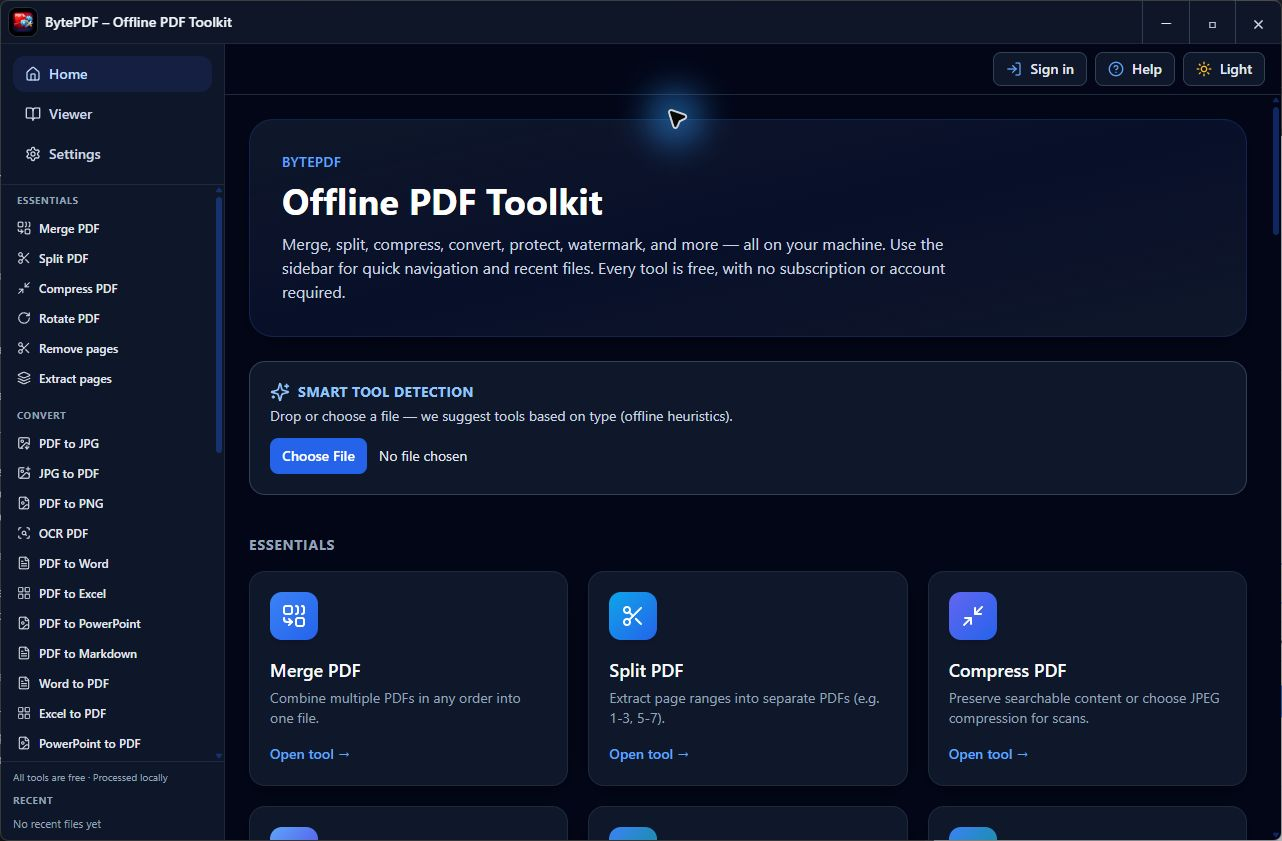
BytePDF is a free offline PDF toolkit for everyday documents. Merge, split, compress, convert, protect, annotate and read PDFs without uploading them to a website. All PDF tools work without a subscription or account.
What you can do
- Organize: merge, split, rotate, remove, extract, reorder and crop pages; add page numbers.
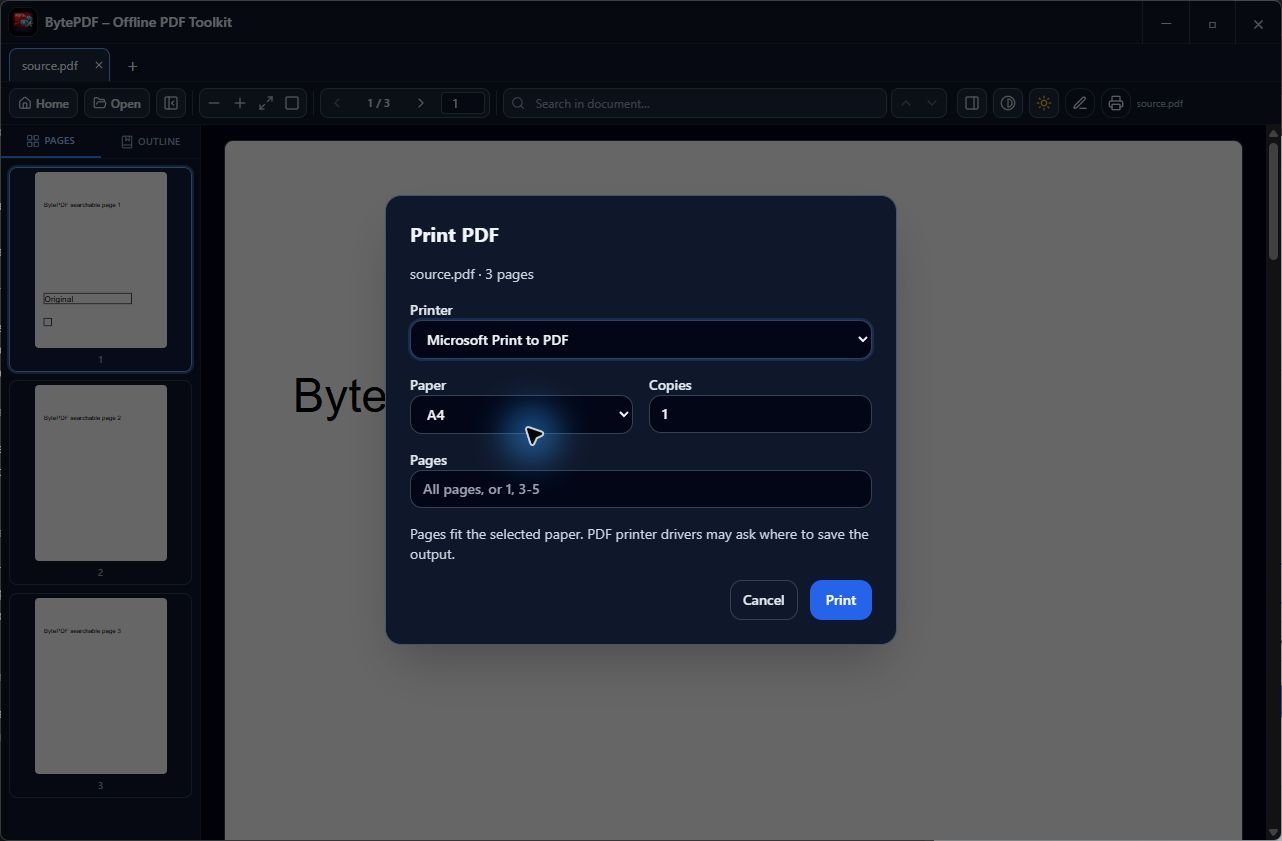
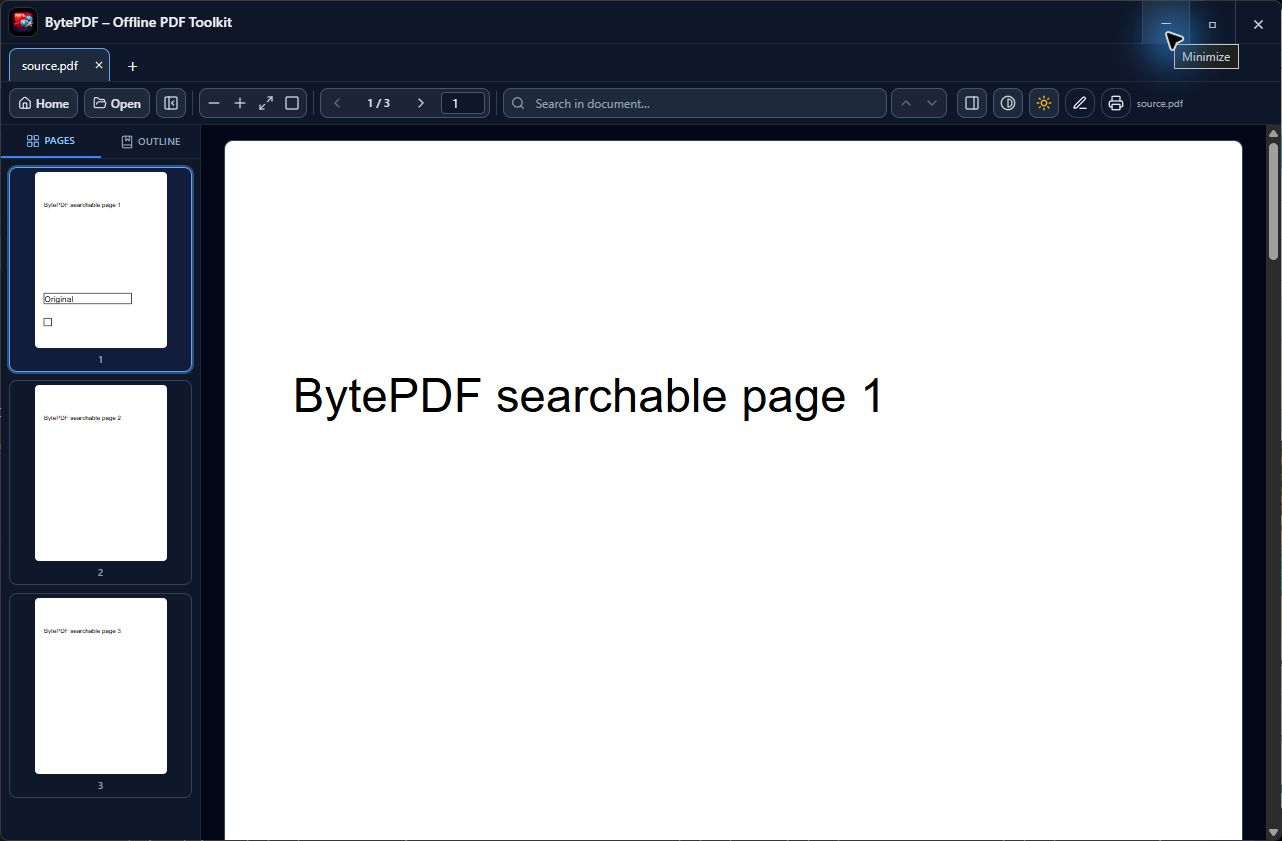
- Read and annotate: document tabs, search, thumbnails, saved reading position and zoom, highlights, notes, text, shapes and drawn signatures.
- Compress: Preserve content mode keeps searchable text and existing image quality. Optional scan modes trade document structure and image quality for smaller files.
- Recognize text: bundled offline English OCR exports searchable PDFs or text. Keep existing text skips whole pages containing selectable text.
- Convert: PDF and images, Word, Excel, PowerPoint, Markdown and local HTML workflows. Office-to-PDF needs Microsoft Office or LibreOffice installed.
- Other workflows: password protection, watermarking, supported PDF forms, comparison, best-effort repair, image-based redaction and reusable workflows.
New in 1.2.1
- Fixed OCR duplicating text on short text pages in mixed scanned/text PDFs.
- Improved lossless compression of eligible uncompressed PDF streams.
- Remember your spot within a page and horizontal scroll, alongside page and zoom.
- Fixed annotation saved-state tracking after undo and a different edit.
- Fixed clearing form dropdowns and page numbering that starts at zero.
Download and requirements
Windows 10 version 1903 or later, or Windows 11; x64. Download BytePDF-Setup-1.2.1.exe below. The direct installer is not digitally signed. You can also get BytePDF through the Microsoft Store; Store updates appear after Microsoft certification.
Helpful details
PDF processing stays on your PC. Optional sign-in and sponsored content use the internet. OCR is English only, and accuracy depends on the scan. Use Preserve content compression after OCR to keep search working; scan modes can remove the text layer. Already optimized PDFs may shrink very little.
The annotation editor adds marks rather than replacing existing page text. Drawn signatures are visual marks, not certificate signatures. Word and Excel exports may not preserve complex layouts; PowerPoint exports page images. Redaction and raster repair flatten document structure. Keep your originals.
Tell us what needs work
Which PDF workflow matters most to you? Leave a comment about compression, mixed-document OCR or reading position. Describe the issue without posting sensitive documents.
Built with assistance from ChatGPT and Codex. Some graphics were created using generative AI.
Download
Install instructions
Requires Windows 10 version 1903 or later, or Windows 11, on an x64 PC.
- Download BytePDF-Setup-1.2.1.exe.
- Run the installer and follow its installation steps.
- Launch BytePDF from the Start menu or desktop shortcut.
PDF tools need no account or subscription. Office-to-PDF conversion needs Microsoft Office or LibreOffice installed separately. OCR supports English. Keep original documents.
The direct installer is not digitally signed. BytePDF is also available through Microsoft Store; updates appear after certification.
Also available on

Leave a comment
Log in with itch.io to leave a comment.